Override Section Config
Override Section on Page Hub: "Section" and its Submenu appears in Page action options when following Configuration settings are added under Page hub configurations.
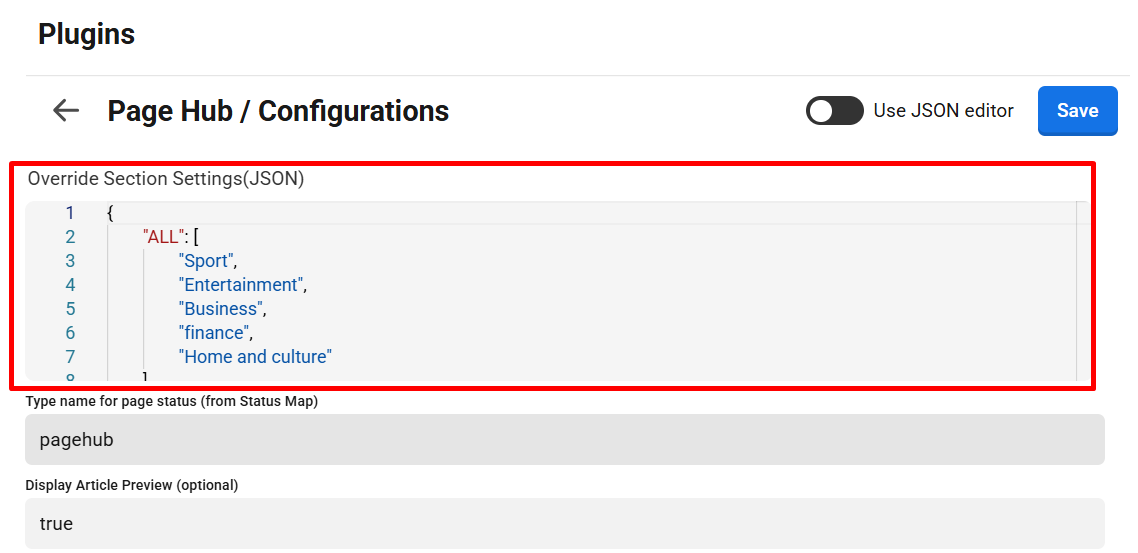
Override Section on Page Hub: "Section" and its Submenu appears in Page action options when following Configuration settings are added under Page hub configurations.
{
     <Sections visible to all products>
        "ALL": [
                "section1",
                "section2",
                "section3",
                "section...",
        ],
    <Sections visible specfic to the product>
    <Product 1>  "PMS_AGP": [
                "section8",
                "section9",
        ],
    <Product 2>  "PMS_AGP": [
                "section10",
                "section11",
        ]

}{
"ALL": [
"Sport",
"Entertainment",
"Business",
"finance",
"Home and culture"
],
"PMS_AGP": [
"Local",
"Nyheter",
"General news",
"Entertainment",
"Business and finance",
"Home and culture",
"Op-eds"
],
"STF_PST": [
"Lifestyle",
"Health & Wellness"
]
}