Getting Started with Naviga Ad API

Please work with Naviga Support, or your Implementation resource if you are in a project, to get authentication details for your API.

All Naviga Ad Systems come with API access to your data. To access YOUR API Home page, replace the xxx with your site code in the URLs below. The first link takes you to the home page, and the second link takes you directly to the swagger API definitions site, where you can view and test out the APIs.

https://xxx.navigahub.com/ElanWebPlatform/xxx

https://xxx.navigahub.com/ElanWebPlatform/xxx/swagger/ui/index

TEST System links

https://xxxtest.navigahub.com/ElanWebPlatform/xxx

https://xxxtest.navigahub.com/ElanWebPlatform/xxx/swagger/ui/index

Understanding the Swagger UI

Using this example of working with customer data:

With some noted exceptions, using Endpoints will create new - in this example, a new advertiser

Use the Endpoint to read something - in this case read the customer information

One you GET the information, use the Endpoint to update information back into the system. It is designed so that the data needed in the PUT can be copied from the GET and then whatever needs changing can be edited there.
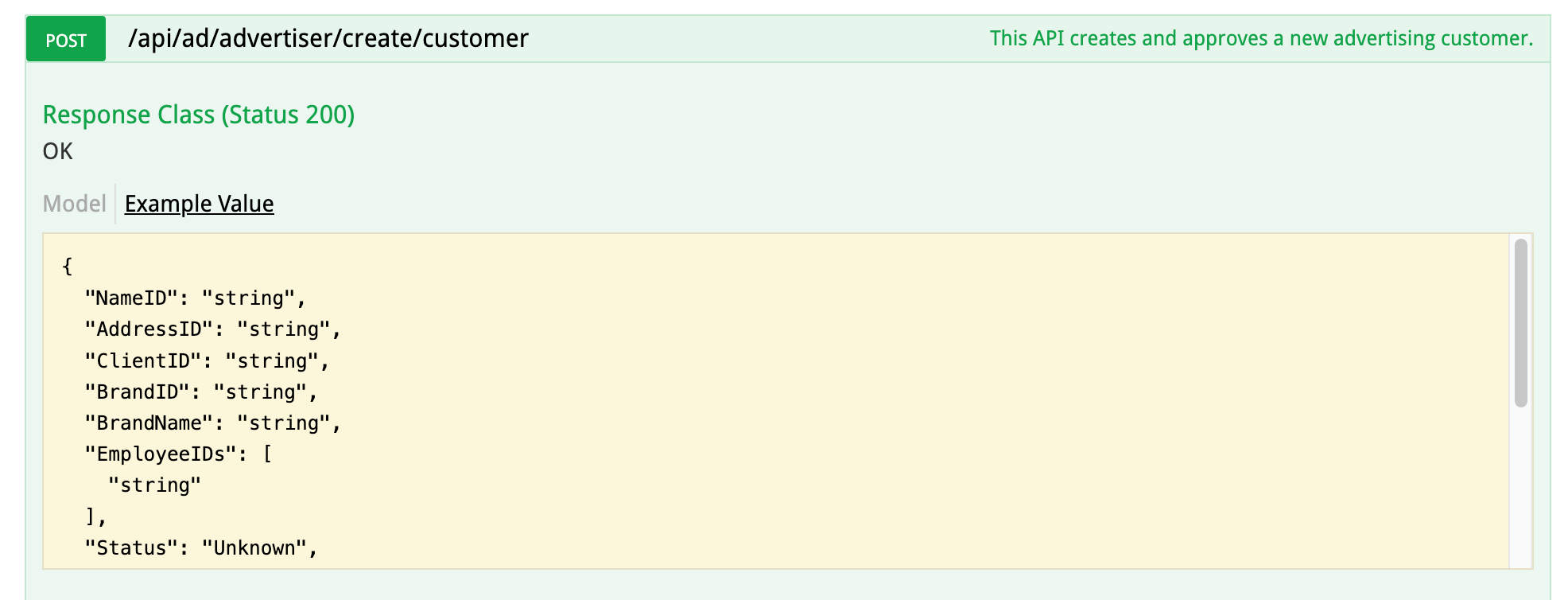
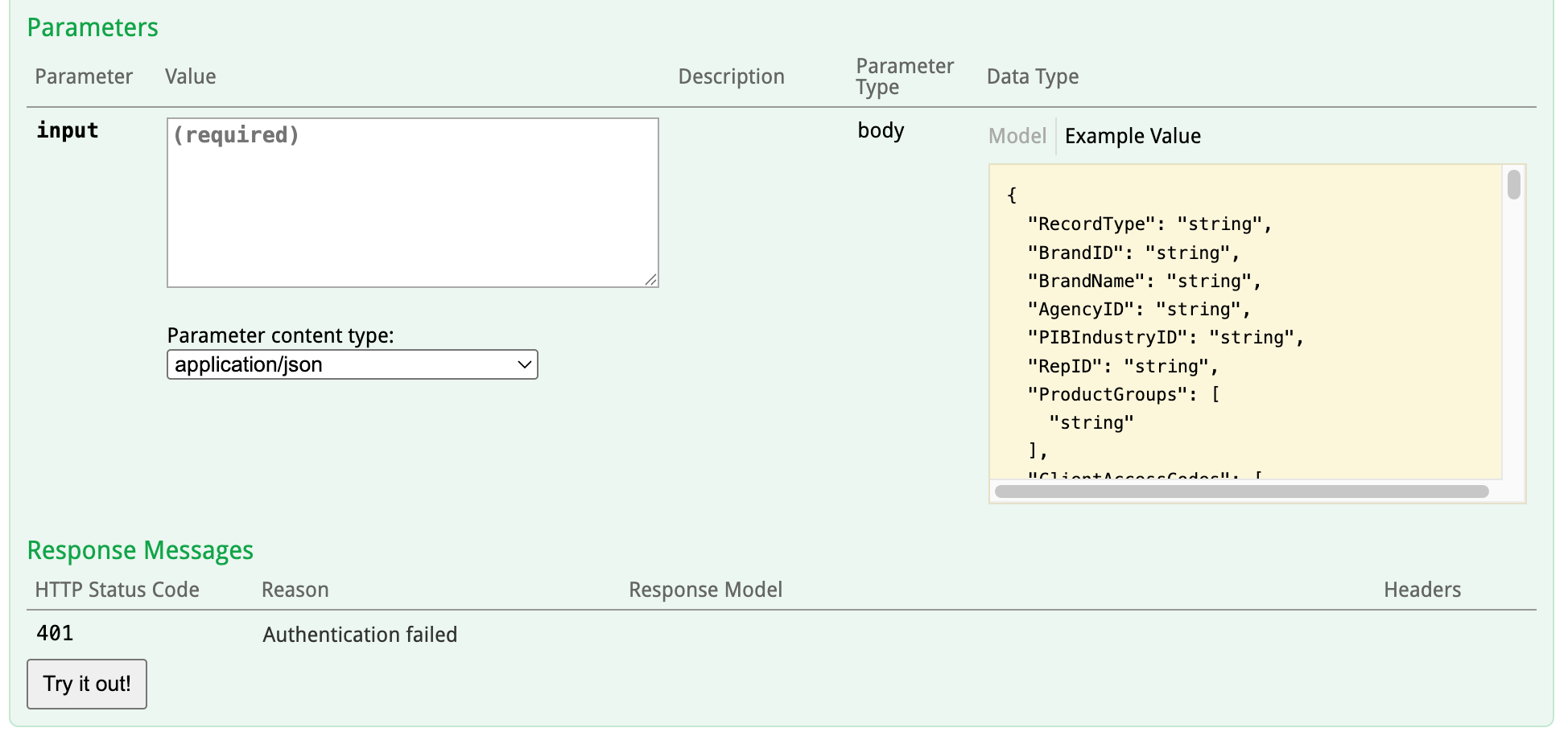
In the Top Section, you will see an "Example Value" - this is the format of the response you should expect if your Post/Get/Put was successful.

In the next section is the input parameters. This section will change depending on the endpoint you are using, but regardless of the endpoint, the user can click on the yellow box on the right, and the parameters will be copied over to the white input box. Note that the white input box can be expanded by dragging and dropping the lower right corner.

From there, you can enter/edit the required details before clicking "Try it Out!" to execute. From the input box, you can remove any fields you do not need in your data, except for any required fields. In the following pages in the documentation frequently used end points are explained including indication of which fields are required and where applicable, which codes must be entered in certain fields.

Swagger is great for quick tests, but for recurring use or very large sets of data, a tool like Postman is a better option.

Was this helpful?
