

Delete a Campaign
Use the DELETE /api/campaigns/{campaignId} api to delete a campaign. This is the same function internally as "Cancel Campaign" under the campaign menu. This is different from stopping a running campaign where you simply wish to end it early. Delete a campaign will truly delete it. The status will become "DE" or "AC" status and if there were any invoices already created, those invoices will be credited.
This should be used where the campaign was created in error and the intent is truly to get rid of it.
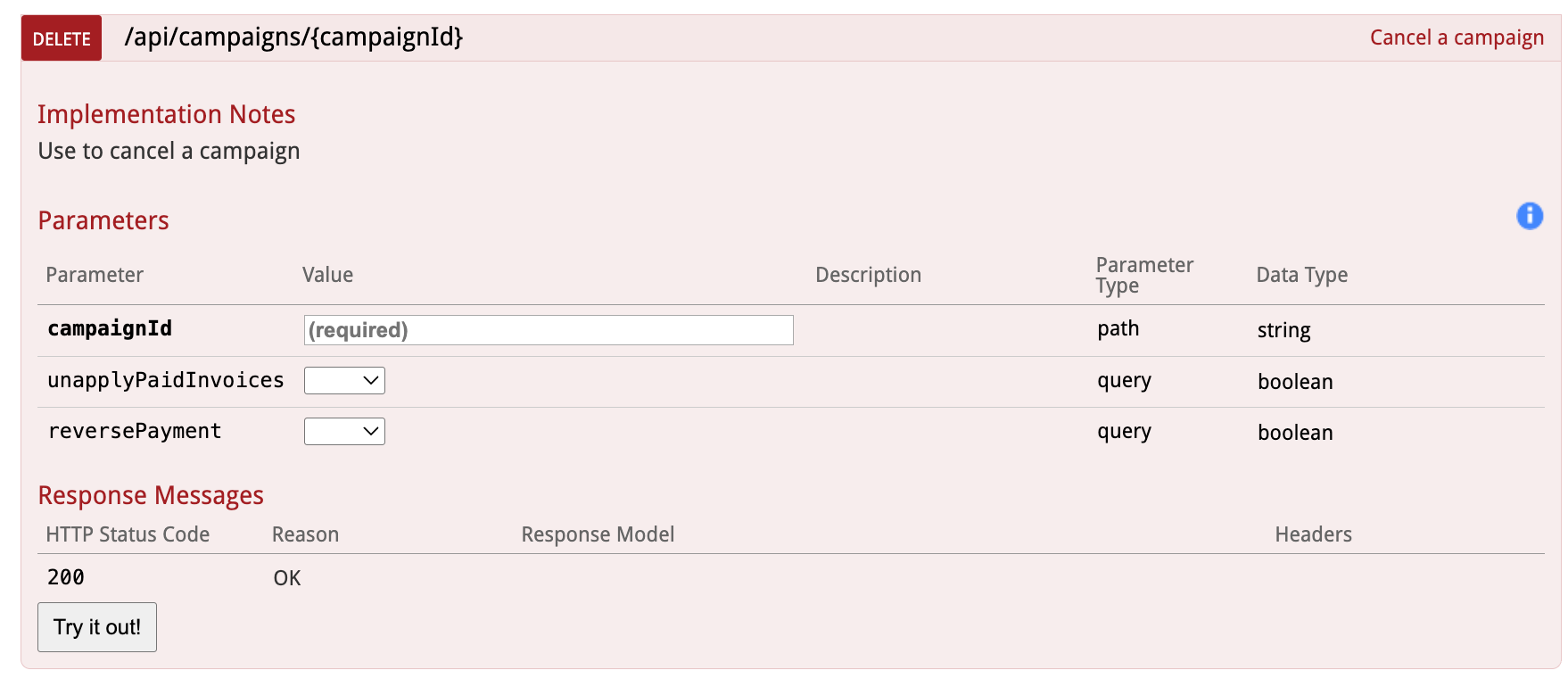
Please note - the reversePayment parameter is only exposed in Naviga Ad v2026.1 and later. Prior to 26.1, Naviga forced that to be true, which meant that unapplyPaidInvoices was disregarded and behaved as if it was also true. Please see Example 1 below for Naviga Ad behavior for this. Examples 2 and 3 only become available in 2026.1
The delete campaign has just three parameters - the Campaign ID and true/false parameters for unapplyPaidInvoices and reversePayment. Only the Campaign ID is required.
If nothing is passed in for the other two, they will default to true.
If reversePayment is set to True, then unapplyPaidInvoices will be true (if you set it to false it will be ignored -> you cannot reverse a payment and expect it to still be applied to the campaign)
If this API is being used because a campaign was cancelled in another system and the refund was already applied in the other system, then the defaults will suit your needs and only the Campaign ID needs to be put in. This will essentially credit out the invoice and reverse the payment transaction.
If this is a case where you want the money to be stored on the account to future use or for Naviga Ad to process a manual refund, then reverse payment should be false.
If the campaign status is Q1 -> CO, then cancelling the campaign will simply update it with a DE status, and remove any campaign lines. If it was prepaid, the payment will also be reversed and/or unapplied based on how you set the two flags.
If the campaign was already invoiced (but not paid) then the status will become AC (Awaiting Credit) upon cancellation. The credit invoice will get picked up in the next invoice batch and then the status will update to KI (Killed). In this case the order line(s) cannot be fully removed since it is linked to an invoice (and a credit) record, but the amount will be zero'd out (due to the invoice and the credit netting out to zero).
If the campaign was invoiced AND already paid, then the payments may be unapplied from the campaign and the payment transaction reversed based on how the other two flags were set.
Here are some screenshots from Naviga Ad:
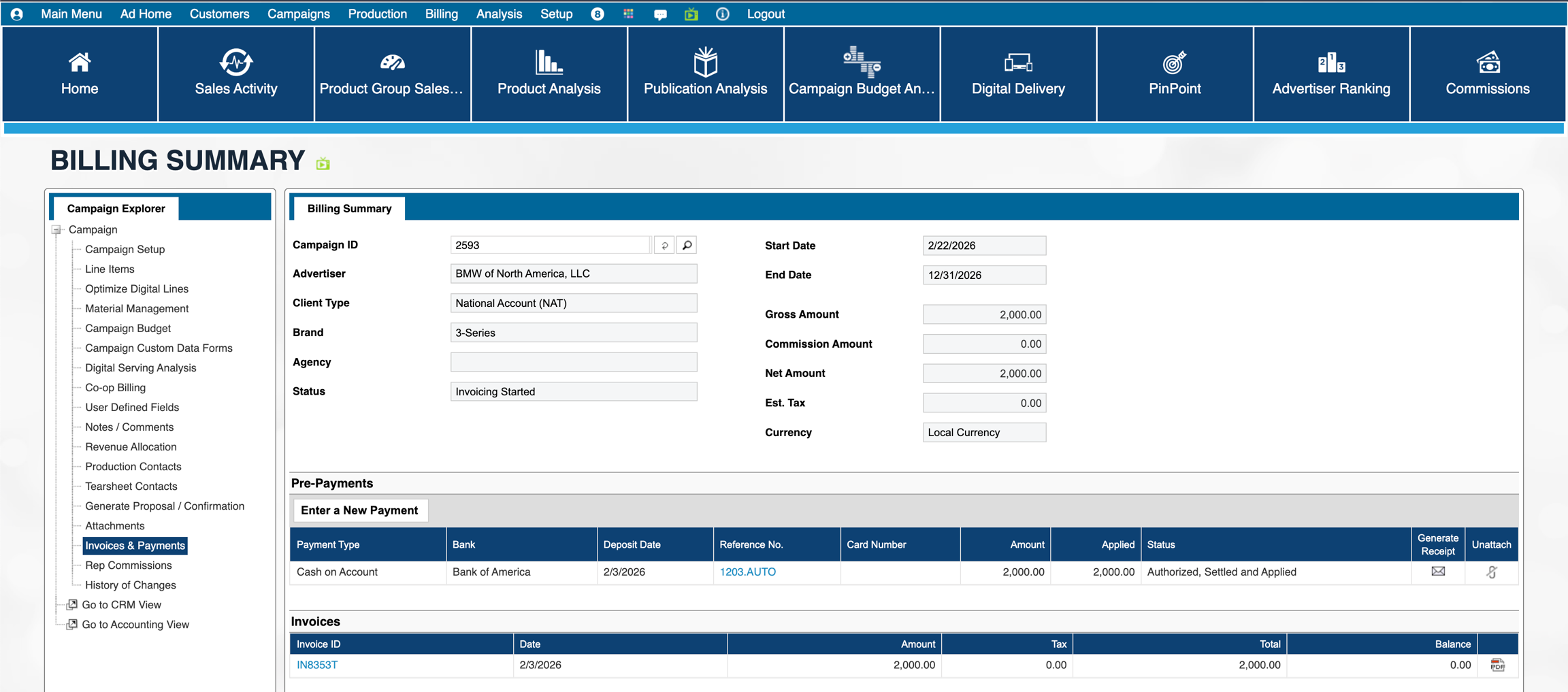
Example 1 - only a campaign ID is passed in (meaning reverse invoice and unapply are set to yes)
This is the "before":
and the "after":
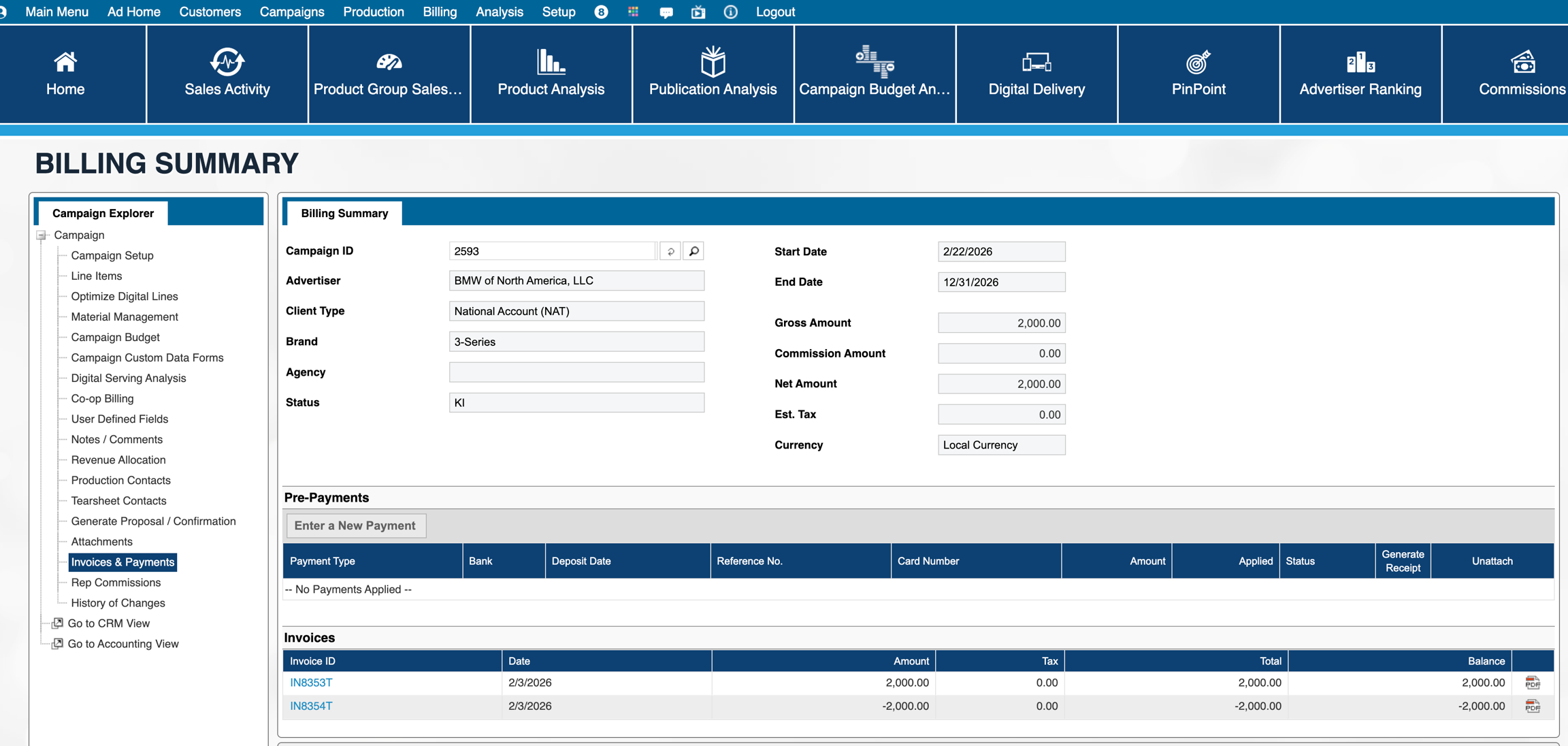
On the account, the user can see payment has been reversed:

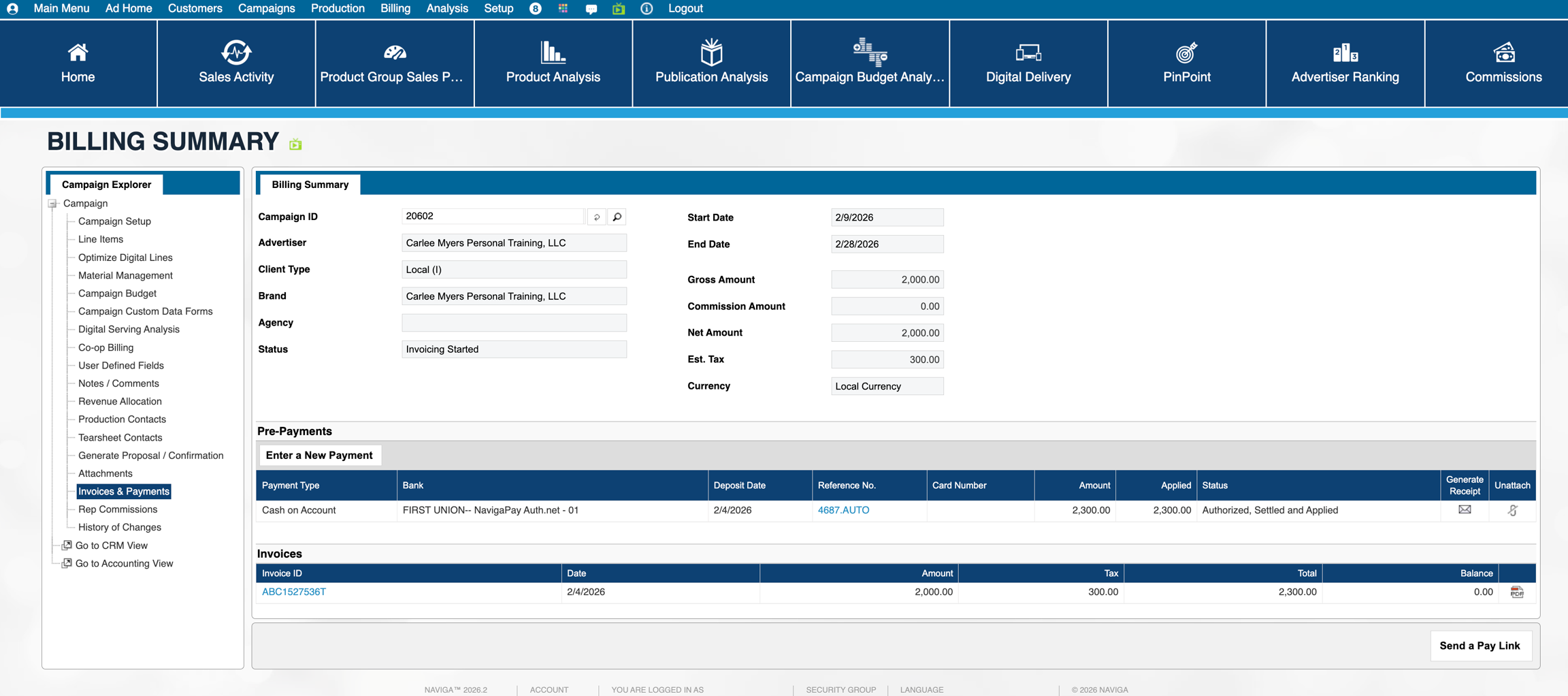
Example 2: Payload for this includes "false" for both flags
This is the "before":
and the "after": Take note that the original invoice balance remains at 0.00 and the credit retains a negative balance
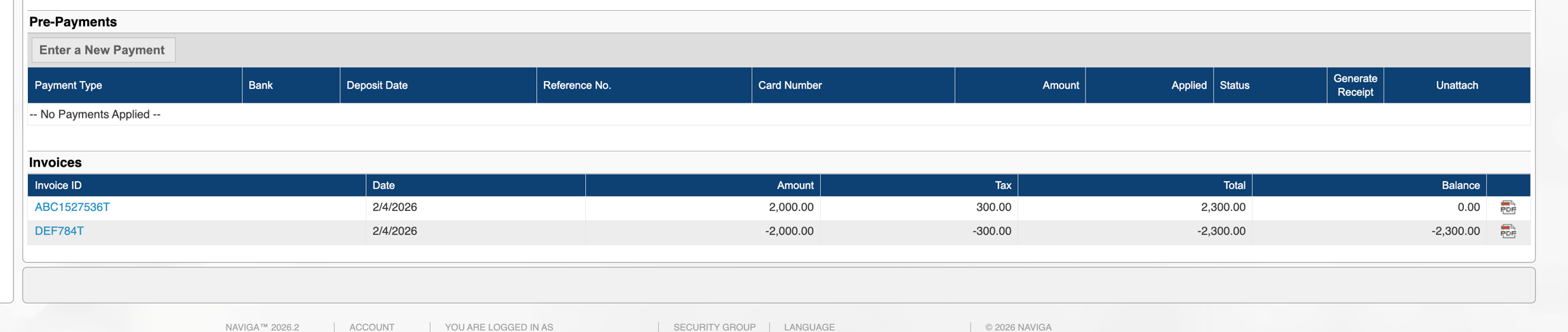
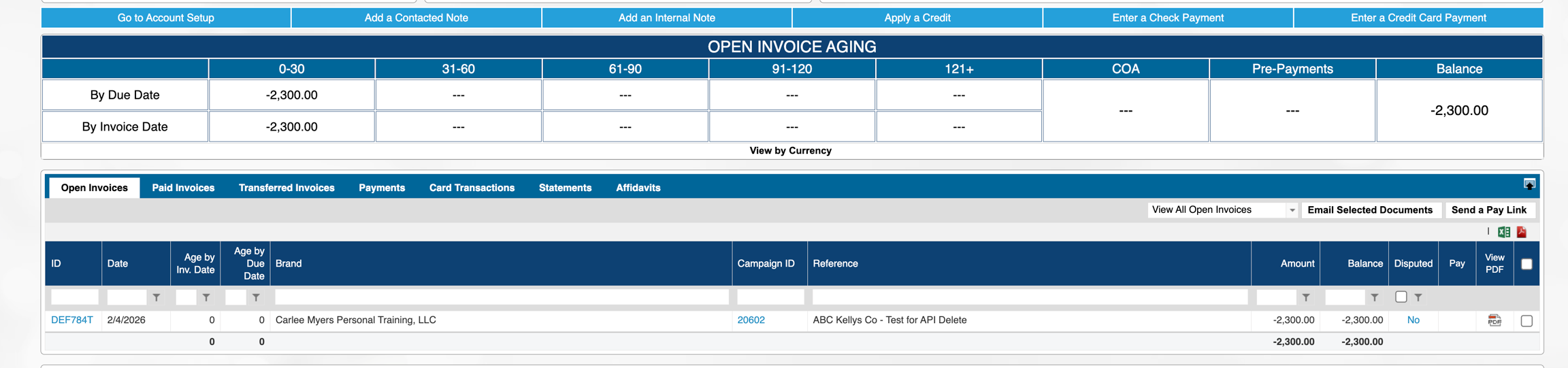
Looking at the customer account, and their aging, the original invoice remains in the "Paid" tab, and the credit is still outstanding and available for use to apply as a credit on another invoice. This is technically a credit memo and not Cash on Account so it will need to be applied via Cash Receipts in the A/R Module.
Example 3: Payload includes True for unapply, False for Reverse.
This is the "before":
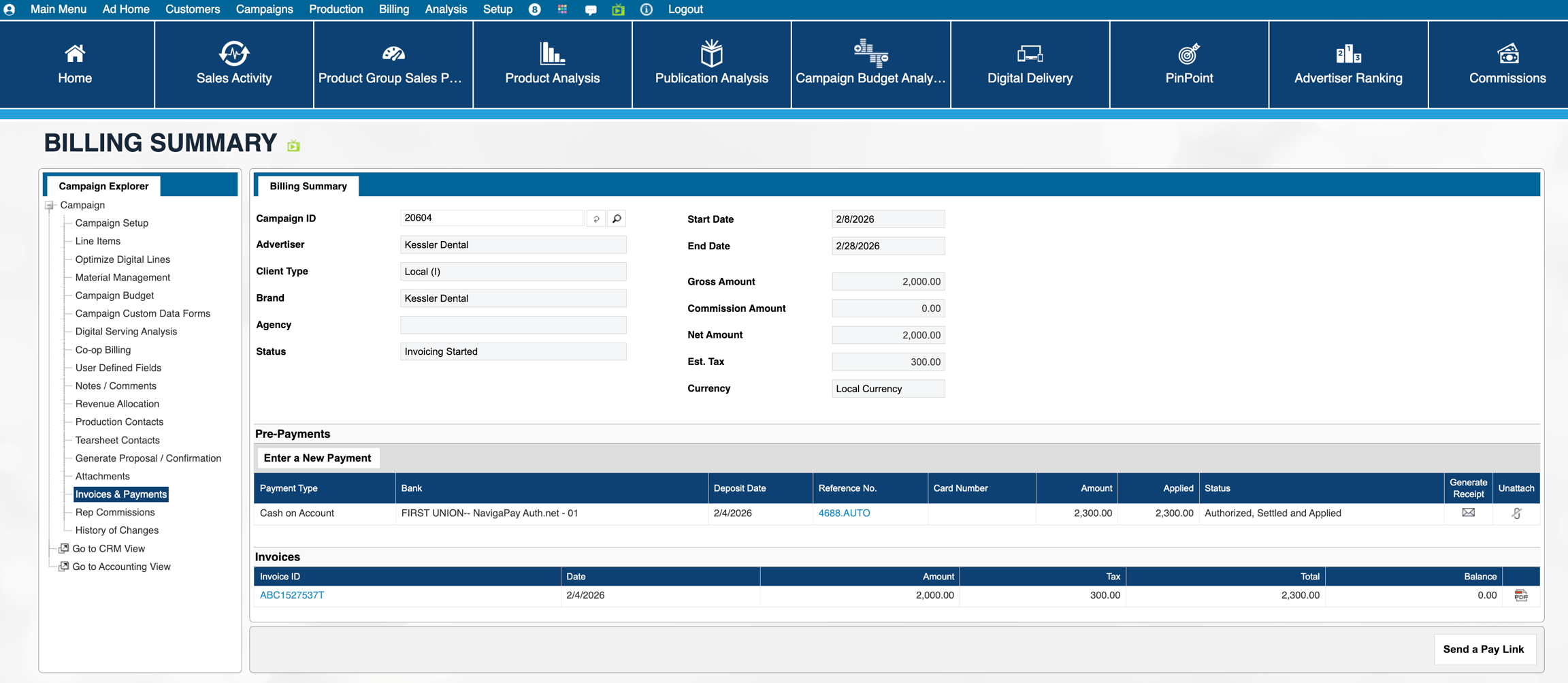
and the "after": Take note that the original invoice balance and the Credit Memo are 0 balance here. In this case, during the invoicing process when the Credit memo is being processed, the prepayment is being unapplied from the invoice and the credit memo is being applied in its place.
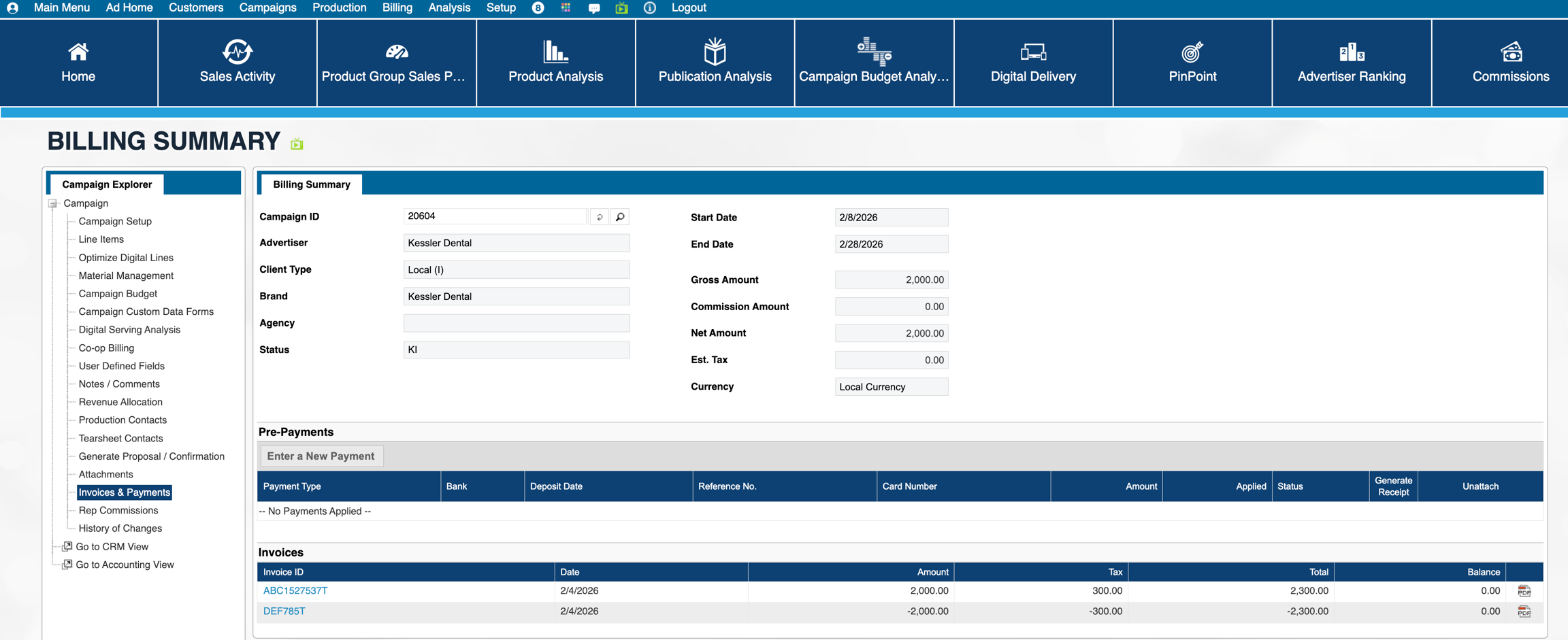
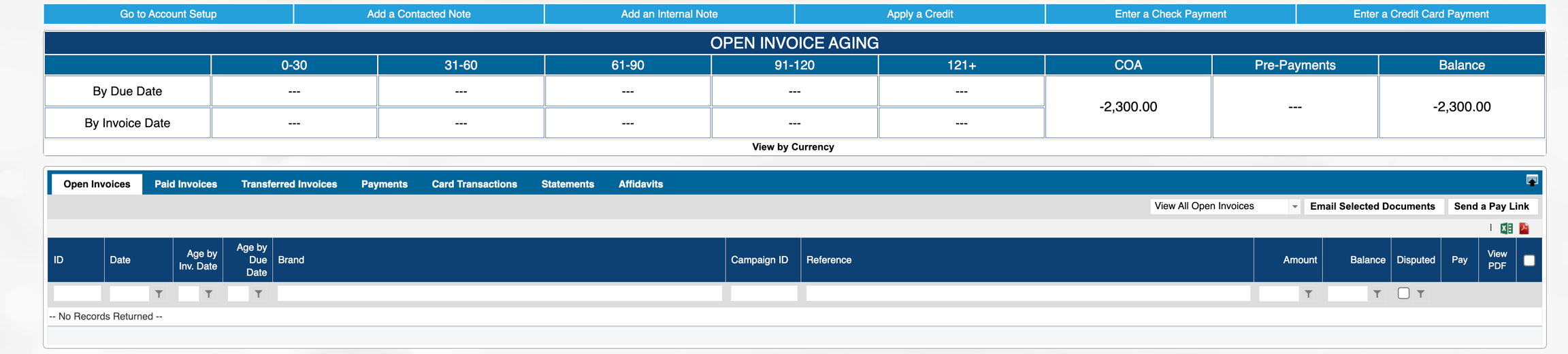
Looking at the customer account, there is nothing on the open invoices tab:
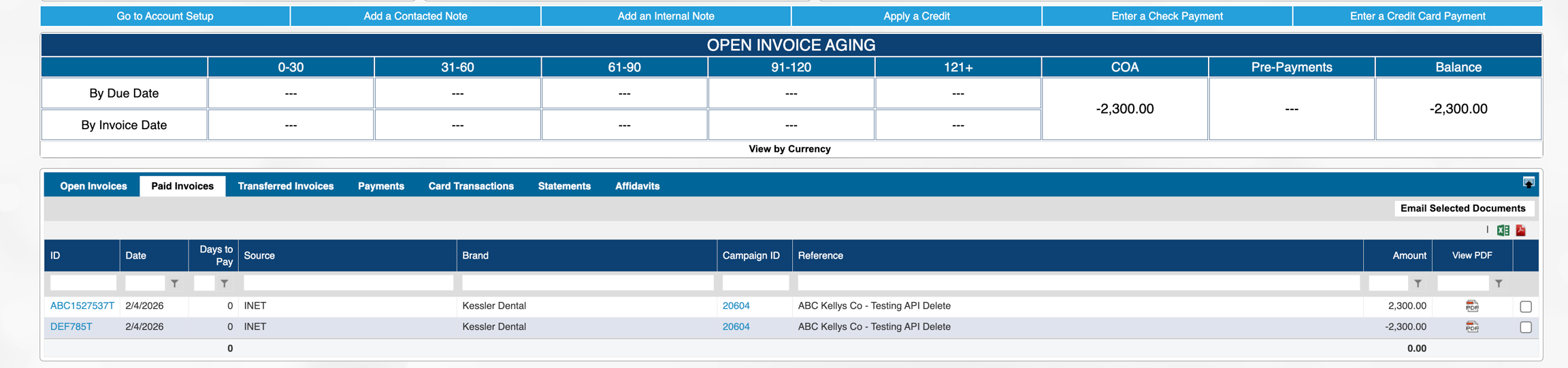
The Original invoice and the credit memo are here on the Paid invoices tab, since the CM was used to pay for the invoice
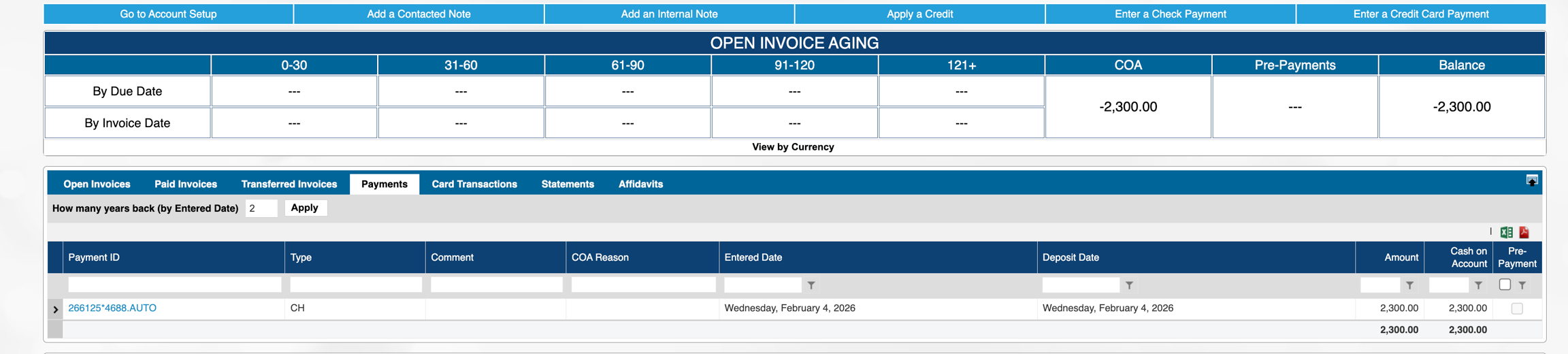
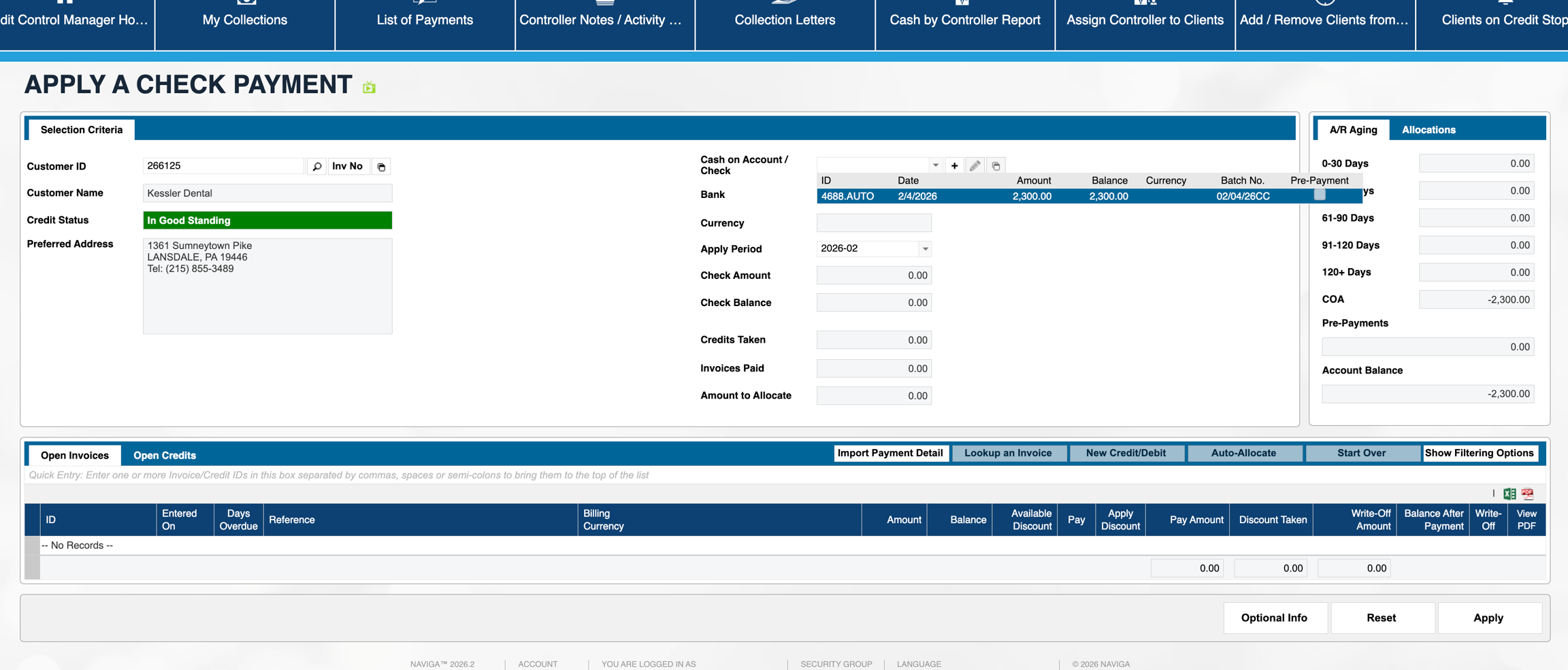
and in this case the COA is what remains open and usable for something else:
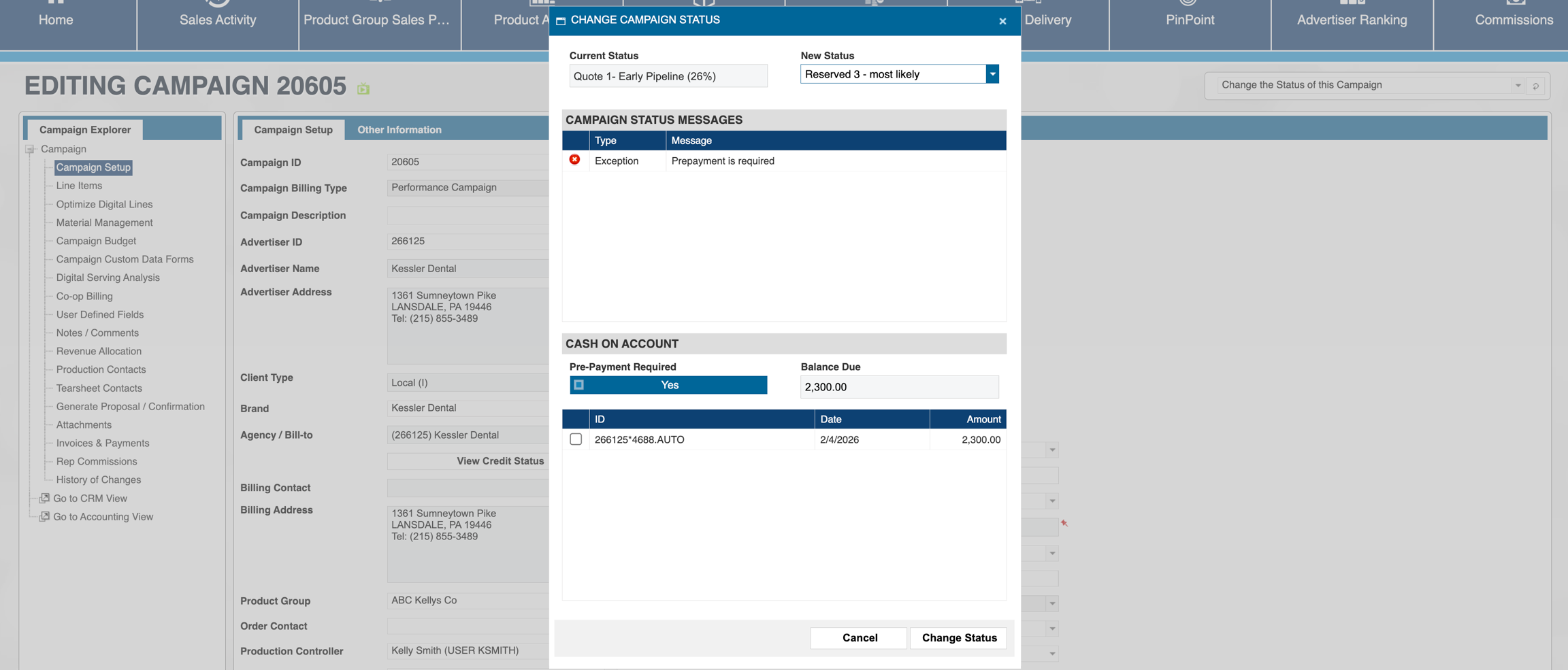
Since it is COA and not a Credit Memo, it is available to be used (with the right user permissions) in Campaign Entry on a future campaign OR in A/R during the cash receipts process. This is using it in Order Entry:
and this would be how it gets used in A/R:
Was this helpful?